Tuesday, February 16, 2016

Google Cardboard: ​Is There Something Wrong?


I must admit, that I really like the idea of Google Cardboard. It allows students, teachers and/or researchers all to experience physical objects in semi-virtual reality that was previously impossible. Google Cardboard, and virtual reality like it, are spectacular. But to me, something feels wrong about it. I'm having a hard time identifying what it is.


The SAMR model was created by Dr. Ruben Puentedura. The "S" in SAMR stands for substitution and the "R" stands for redefinition. More on SAMR can be found here. The whole SAMR model, as a visionary tool, is to create a conversation. Teachers should ask themselves if what they are doing with technology is important or an improvement to the learning? Where does their classroom technology use fit with SAMR? According to Kathy Schrock, teachers need both. They need to consider both Bloom's taxonomy as well as SAMR to have a true impact on learning in the classroom. I wholeheartedly agree.


So where does the Google Cardboard project fit? I feel that Google Cardboard is "Substitution" in SAMR and on the lower level of Bloom's. The reason I say this is when students use Google Cardboard they are passively viewing information. Sure, they're moving their heads around in semi-virtual reality, but their interaction with the information is very "surface level." At best Google Cardboard could be considered "augmentation" on the SAMR model.


Is there a way to "ratchet up" Google Cardboard? Are there ways to make Google Cardboard reach for the upper levels of SAMR and Bloom's taxonomy? Yes. Of course. What if the students were the creators of the content? For example, if students created their own virtual reenactment of John Brown's raid on Harper's Ferry that would be high SAMR and high Bloom's. What if students made their own Google Cardboard viewing device? What if students designed, collaborated, and used technical writing to print their very own viewer using a 3D printer? These are all ways to "make it better."


To me there are a few things wrong with students using Google Cardboard just for the cool factor. First, I'd never want a principal to enter a classroom and say "well, they're using technology" when observing a teacher's classroom and check that off on their evaluation. It's critical for administrators to know that there are important things that teachers can do with technology that require students to think, problem-solving and be resilient.


Just because a student is engaged with content does not mean it's good for education. Google Cardboard, if used as a viewer of content, is just another way for the teacher to disseminate information to the students. In many ways this is no different than the "sage on the stage" mentality of a teacher led lesson. Just another disguise for the "formal authority" teaching style, which is the teaching style that causes my own to children to feel demeaned at school.


Please don’t use Google Cardboard as an excuse to not take students on field trips.  Students should experience their local museum, arboretum, factory, aquarium or even an amusement park on “physics day.”  Often, these are the things that make school memorable.  When I ask my own children what they did in school, when they go on a field trip, which is not often any more, they always have a lot to say.  On a typical day, I get the same answer most parents of teenagers get, “nothing.”


Lastly, the use of Google Cardboard is such an engaging technology that at some level it seems like students are basically "electronically blindfolded." Students are unable to collaborate and communicate with other students in class. Also, while students are using Google Cardboard and engaged with content they are also being extremely compliant. I would hate for Google Cardboard to be used as a classroom management tool so that students will behave "properly."


I’m not saying don’t use Google Cardboard.  What I am saying is teachers should probably use it sparingly and they should question their classroom practice regardless if one of the “flavors of the month” just happens to be Google Cardboard.  

Tuesday, February 9, 2016

Students Learn the Basics of Computer Programming


“Why does he keep saying that?,” was what one of the boys whispered to his friend in the elementary library.  He had, what I would call, beige hair, and an inquisitive look on his face.  His partner had an amazing ability to use the computer mouse. To him, the computer mouse was a part of his hand.  I think the first boy was talking about the fact that Wendy Sprague and I kept saying over and over “if you work hard you can actually get smarter.”  After a brief introduction and an explanation of their first learning adventure, all four students used computer programming to get the solution.  Some students were able to complete the learning adventure faster than others, even though learning is not a race. We all learn at different rates of speed.  Whatever you do, please don’t tell them they were learning.

Wendy is a librarian at the Cuba Rushford school district.  She has embraced computer programming and robotics in her schools.  The learning of new things does not come easy to everyone and I think it is safe to say that might be true of Wendy as well.  Wendy is a great example of a life-long learner and a follower of the research headed up by Dr. Carol Dweck from Stanford University.  Dr. Dweck has done scientific research to prove that if people work hard and believe that hard work pays off they can make themselves smarter.  If you work hard, are focused on your task and repeat the task to solidify your learning the actual weight of one’s brain gets heavier.  This weight change occurs due to the increased number of neurons, or thinking connections, created in your brain by learning.  It is important for students to get a good night sleep because the neurons are solidified during sleep.  The book called Mindset by Carol Dweck discusses her brain research and is a great resource for anyone. It may even change the way you think about intelligence.

It is only natural for, what some might believe as, unconventional learning to occur in the library. With the easy access to information online, no longer can the library just be a place where information is archived and stored.  Libraries are more.  They are where information is gathered to test theories, find new facts, invent products to help people and publish things of all kind, not just books or things involving text.

Fifth grade students at Cuba Rushford used the computer programming language called Scratch, which can be found at Scratch.MIT.edu.  This open-sources coding language consists of “drag and drop” blocks so no “hard coding” or syntax is used.  Scratch is free and can be used on any computer. Instead of students making sure they capitalized using “camelCode” or that they used a semicolon instead of a colon, they could put there mind work totally on the logic. Lots of logic goes into computer programming.
 
Students seemed to enjoy computer programming and I can’t wait till I can go back to Cuba Rushford to do some more teaching and learning with Wendy and her students.  Programming is extremely fun, engaging and it teaches a lot of important skills that can help in any classroom.  I wonder what the kids have been inventing since we last met?


Sunday, January 31, 2016

A Good Prompt is Worth a Thousand Words


My friend and student of Seymour Papert, Gary Stager, would always say that a “good prompt is worth a thousand words.” What exactly does that mean? There is a lot that goes into this statement. Gary Stager and Sylvia Libow Martinez discuss three rules for this in their book. For this blog post I will be using “learning adventure,” and “prompt” interchangeably.

The first rule of thumb is brevity. Prompts, which Gary calls “learning adventures” (a term I borrowed from him), must be short. They can fit on a small piece of paper, be written on a board in one sentence or delivered as a tweet. All the best questions are short.

The second rule of thumb is ambiguity. The learning adventure should be state in an open-ended way so that students can solve the prompt in different ways. The prompt should be crafted in a way so students can come up with different solutions, possibly an answer never thought of by the teacher. This helps students understand that there is often times more than one way to solve a problem.

The third rule of thumb is immunity to assessment. The learning is judged not by a test but rather by to learning adventure being completed. If a student is developing a video game, the reward is completing it, having someone else play it and tweaking the game so it is better. The motivation is caused by these rewards -- not by a B+, A, or the threat of a “F.” I know some teachers who understand that “failure is learning,”

A good prompt is also something that can’t be “Googled.” When the ubiquity of cellphones in students’ pockets occurred, some educators were concerned about students being able to Google or now, I guess, ask Siri the answer to questions on tests. Using the above rules “Googling for an answer” is just not possible.

Recently, I had a chance to be a “Maker in Residence” at a local school for a day. The school was Pioneer High School and I was located in the library. The tool I was using is called Cubelets and I gave student “learning adventures” that they were to solve. This occurred during the Hour of Code week and here is a previous blog post about the experience.

The hardest part of this teaching style, that Seymour Papert calls “constructionism," is thinking up the prompts. It takes a lot of creativity, knowledge of the tool and cognitive energy to think up learning adventures. Plus, we really want students to come up with their own learning adventures. Students coming up with their own learning adventures and playing promotes curiosity and wonder. Problem-solving, failure and working through failure, curiosity and wonder are really the only ways our world's problems will ever be solved.

While in Pioneer, working with Stephanie Hogan, I jotted some learning adventures down. Some I had asked before and some I had not. Here they are and in no particular order. All of these learning adventures involve Cubelets. The Cubelets are individual blocks and each one of them have a separate function. Some blocks are the battery. Some are wheels and others are sensors. The prompts below are written slightly in an order of easy to hard.

Make a flashlight.

1) Make a light house.

2) Using tape and a pencil, make a vehicle that draws a circle.

3) Make a flashlight that gets brighter when a sensor is covered.

4) Make a vehicle that when the light shines on itself it moves forward.

5) Can you make a vehicle that refuses to drive itself off of the table?

6) Can you make a light alarm?

7) Can you make a strobe light?

8) Make a vehicle that is controlled by your cell phone.

9) Make a vehicle that is attracted or follows a light.

10) Can you make a sound that either increases or decreases when light shines on it?

11) Can you make the Cubelets dance?

12) Can you make a vehicle that refuses to run into walls?

The above are just some ideas specifically for Cubelets, and if you have ideas of your own, please submit them as comments. All the above fit the “Invent to Learn” rules of thumb for a good prompt. The above rules of thumb are not just for Cubelets or any kind of making in general. Most questions asked in school should follow the above rules of thumb.

Thursday, January 21, 2016

#hourofcode in Pioneer’s High School Library

#hourofcode in Pioneer’s High School Library This rail-thin, young man, Eric, was in the library and it seemed like he did not have that much to do. His jeans were well worn, and his hat had some kind of tractor on it. The name of the tractor escapes me but after my question the student was engaged. This young man pulled out his cell phone and turned the flashlight function on. “That’s not what I asked,” I said. “Can you make a flashlight?” I asked again, pointing to the Cubelets blocks lying askew on the library table. Eric sat down, his right leg bouncing with nervous energy, and went to work. Although there are very little directions on how to use Cubelets, Eric had the flashlight figured out within 15 seconds. He was then asked a different question, which built on previously learned knowledge and continued to challenge him. I asked him if he could build a lighthouse.

Stephanie Hogan, the high school librarian at Pioneer Senior High School, invited me into her learning space to work with students. At Pioneer they have an explicit class called Problem-Solving. This class is for students who are interested in design and engineering and they were the first and only formal class to come to the library to work on the Cubelets. These students were given progressively harder challenges. They divided up into two groups at times. Sometimes the groups merged to find a solution, but the interaction between these students was congenial, risk-taking (for high schoolers) and expressive.

My "Maker in Resident" time in Pioneer's library happened the week of Dec. 7-12. This week is the Hour of Code week, which coincided with the Computer Science and Technology consortium’s Computer Education Week. To this day, just about 200 million students have experienced the “hour of code” according to Code.org. When Code.org started the hour of code week three years ago, only 1 in 10 schools taught some kind of computer programming or coding. Now that number is 1 in 4. The rest of the day in the library, either random students had heard the word that something “fun” was happening in the library, or students were just coming down to socialize. The students who heard that something fun was happening approached me hesitantly but after they were challenged they dug right in. Other students who came down to socialize were curious as they watched me or fellow students “play” with the Cubelets blocks. Sometimes, I’d just ask a random student a question. Some of them would bite and some would not.

All different types of learners were involved. There was a circumstance when a special education student had the right answer and not until I pointed at the student or said “you are not listening to all of your colleagues” was this student’s correct solutions listened to and acted upon. This is a sad reality that no one really wants to see but if students are not put into these position there never is a “teachable moment.”

Even though I had a student skip class, use his teacher’s hall pass and come down to the library, all in all the day was extremely successful. Stephanie should be commended for all her work. She applied for a grant at her local Walmart and she won. With the money she ordered a class set of Cubelets, because she feels that libraries are not just for storing information but are also, places where information is created, invented, published and learned. On this day, students invented and learned in a collaborative and hands-on way.


Wednesday, January 6, 2016

Open Source Software that Changed a Girl’s Life

My friend Kaylyn, a student at the Olean City School District, is just like every other 12-year-old girl. She says things like “that’s the bomb” and “Wait till my mom sees this.” Kaylyn says “awesome“ a lot and she loves to draw. Specifically, she loves to draw hearts. She also has the best handwriting I’ve ever seen from any 12-year-old. But there is something you should know about Kaylyn. She does not have use of her arms and legs. This causes her life to be different.

Unable to use her arms and legs creates difficulty for her getting around school independently. She also has difficulty doing assignments, because typically there is much handwriting involved.
In September of this school year, since the Olean City School District subscribes to the Cattaraugus Allegheny BOCES Model Schools services, I went in to observe Kaylyn. This was an informal observation and I was just there to make suggestions. I was hoping these suggestions could possibly make Kaylyn’s life better.   When I initially visited Kaylyn I had absolutely no suggestions whatsoever. I had nothing. I was disappointed. I was unsatisfied with not coming up with anything but I continued work on it. Later, In October, I had an epiphany. I had used a software called eViacam and recorded a video of myself using it. YouTube Video of Rick Using eViacam eViacam is a free open source software that anyone can download to their computer but it seems to only be available for the Windows operating system (http://sourceforge.net/projects/eviacam/).  I’m working on a Mac solution.  How does eViacam work? Well it uses the built-in camera or an external camera and ”locks onto your eyes and nose,” which allows you to operate the mouse with your head movement.

On November 18, 2015 I was one of the first people to witness Kaylyn not having to write her name on a piece of schoolwork using her teeth. This day brought goose bumps to all the educators who were in the room. This piece of software was a game changer for Kaylyn. She was now able to do more work [lg2] independently. If you think about it, that’s really what we want from all of our students. We want them to grow up and be lifelong learners, contributing members to society and independent.

A special thank you goes out to Marcie Richmond, Olean’s Special Education Director, Amy Buckner, Kaylyn’s Support Aide and all of Olean’s Tech Department. 
Kaylyn is a special girl and not because she can’t use her arms and legs. She is special because of her resilience, her stick-to-itiveness, and her ability to persevere. Kaylan is just like every other girl and that’s the way it should be. If she wants to dot her “I’s” with a heart or pass a note to another student in class when she should be paying attention, we as educators should do everything in our power to make that happen.   I’m so glad to have met Kaylyn and extremely thrilled to call her my friend.


Thursday, June 5, 2014

Kindergarteners Learn to Kode with Kodable


kodable1.JPG     On Thursday May 15, I entered Kirsten Grubes’s room at Cattaraugus Little Valley school.  Ms. Grube had a substitute and since I was entering a kindergarten classroom we had to forgo any introductions and attempt to match the activity level of about 14 six year olds.  I never did get the name of the substitute.
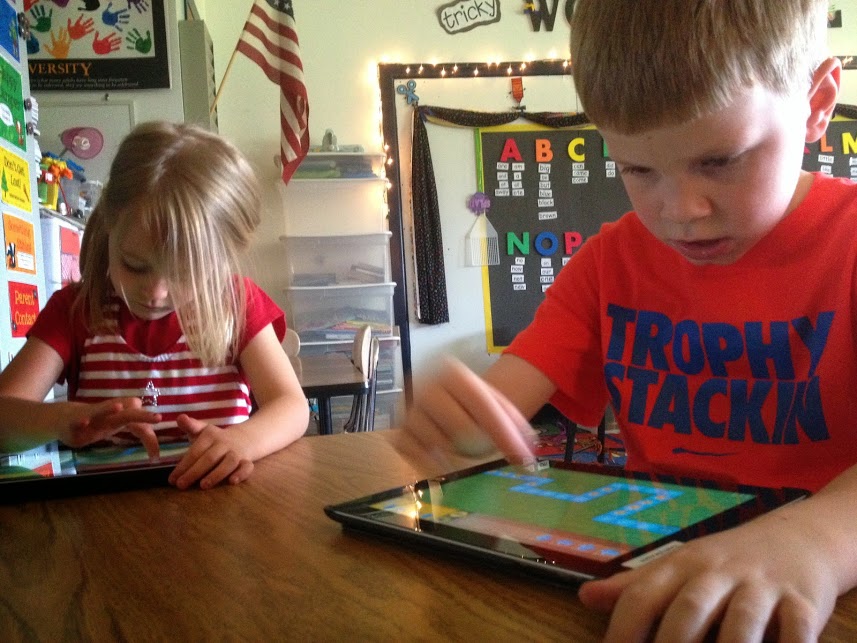
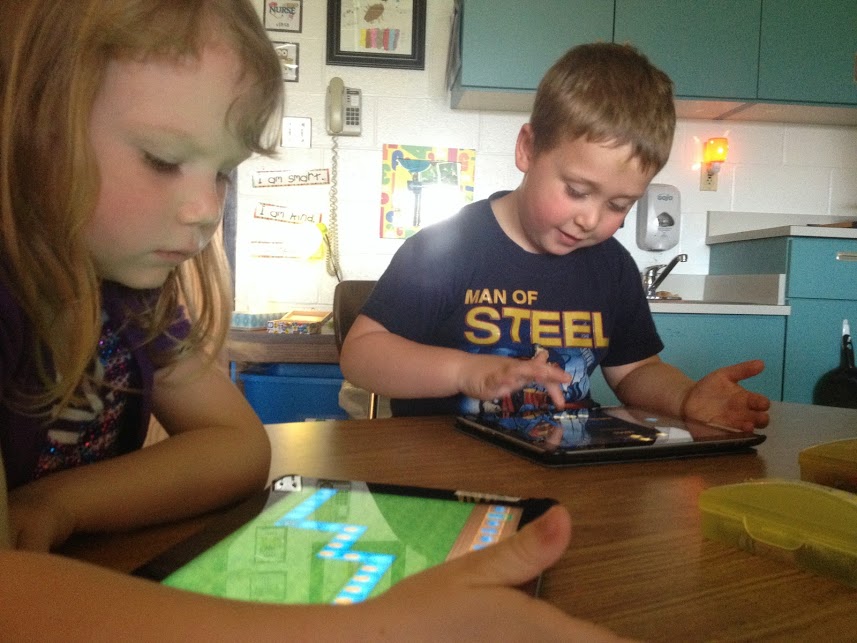
     As a helper at one of the centers, I teach students the fundamentals of programming using the app called Kodable.  At kindergarten Kodable requires students to follow directions, which is good and can be a bit of a struggle with this age group.  I know this because I am pretty sure Kyle was not supposed to march around the room, growling like a monster while gently banging his crayon box on top of his head.  Oh well, we won’t tell Ms. Grube.

These students get so excited when they see me enter the room with iPads.  I often hear “He’s here. He’s here,” upon entering.  With Kodable students have to make their “Smeeborg,” which I call a fuzzball, move across the screen and eat coins. Grechen Huebner, co-founder of Kodable, describes the game like this, "Kids have to drag and drop symbols to get their fuzzy character to go through a maze so they learn about conditions, loops and functions and even debugging,"  The code is read in order and it does not execute until the student pushes the play button.  If the student has the code correct, he or she gets all the coins, completes the maze and goes on to the next level.  If the student is “off the mark” then the student is prompted with an “opps” and asked to try again.  Students are learning a great deal of valuable skills
kodable2.JPGWe have just been using the free Kodable app but there is a pay version, which is $6.99.  It seems like, as of now, the free version is working just fine.  It may be necessary for the pay app someday, but we will cross that bridge when we come to it.  For schools who want to buy the app and are part of Apple’s volume purchasing program (v.p.p.), if the school district buys 20 or more apps than they get them for half price.  And now, with how the v.p.p. is set up, the school district owns the app and can deploy it to different iPads anywhere in the school, as long as they don’t use more that what was purchased.
Many of these students can’t tie their shoes yet so why are we teaching them to be computer programmers?  "Ninety percent of schools just don't even teach it [coding or computer programming].  So if you're a parent and your school doesn't even offer this class, your kids aren't going to have the preparation they need for the 21st century," says Hadi Partovi, co-founder of the nonprofit Code.org. "Just like we teach how electricity works and biology basics, they should also know how the Internet works and how apps work. Schools need to add this to the curriculum."  At Cattaraugus Little Valley we are making some initial steps in adding these important computing skills into the curriculum. 

Thursday, March 27, 2014

Second Graders Learn to Program

Second Graders Learn Computer Programming


IMG_2068.JPGWhen you enter Jill Rickert’s room you quickly find out what is going on in the world of the seven to eight year old learners.  Some kids are wearing bright green that many people wear to support a cause.  Many of the girls have chipped or chewed blue sparkly nail polish and the boys, some of them, just walk about with their shoes always untied.  I just tied a little boy’s sneaker yesterday.  


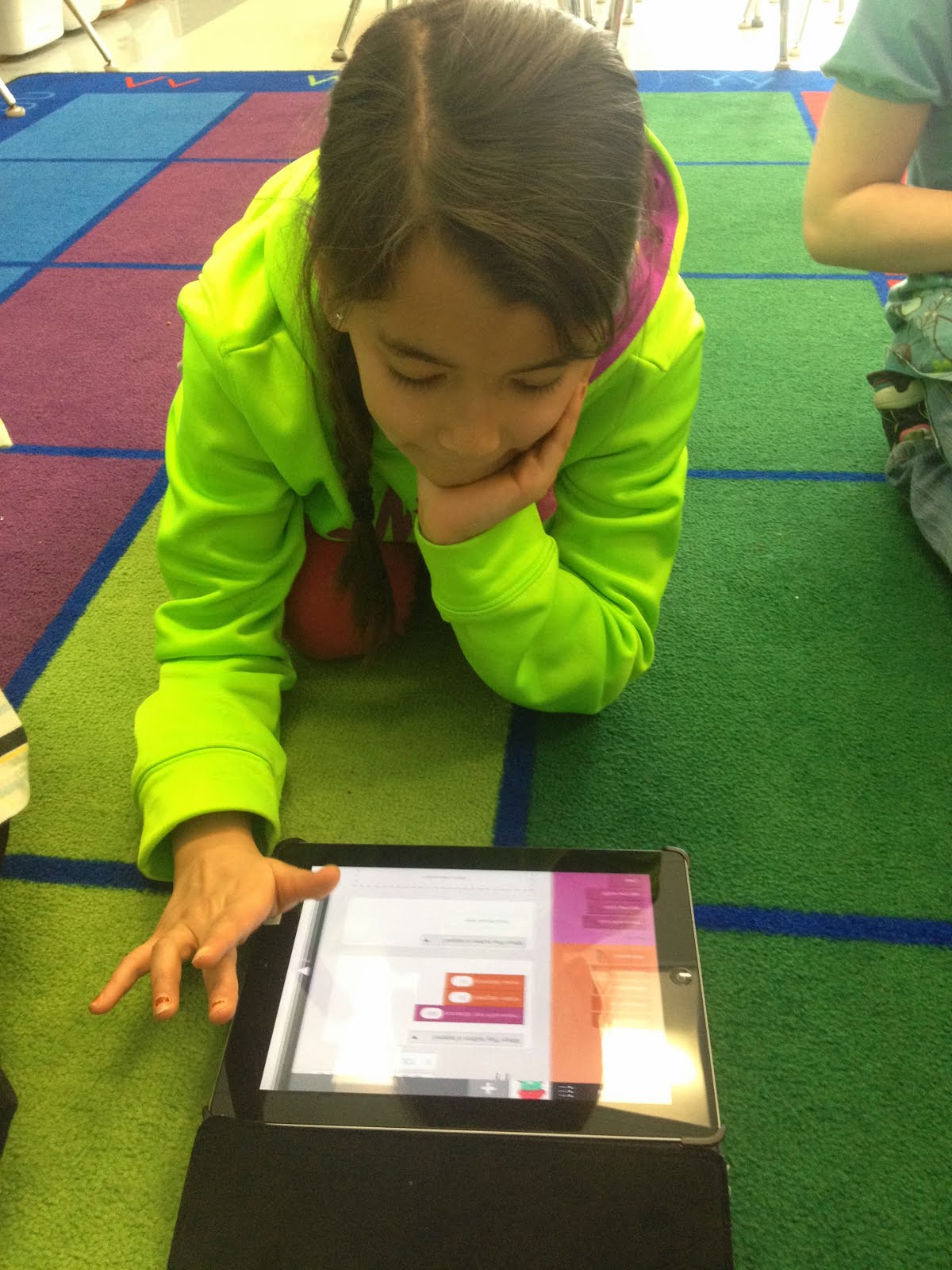
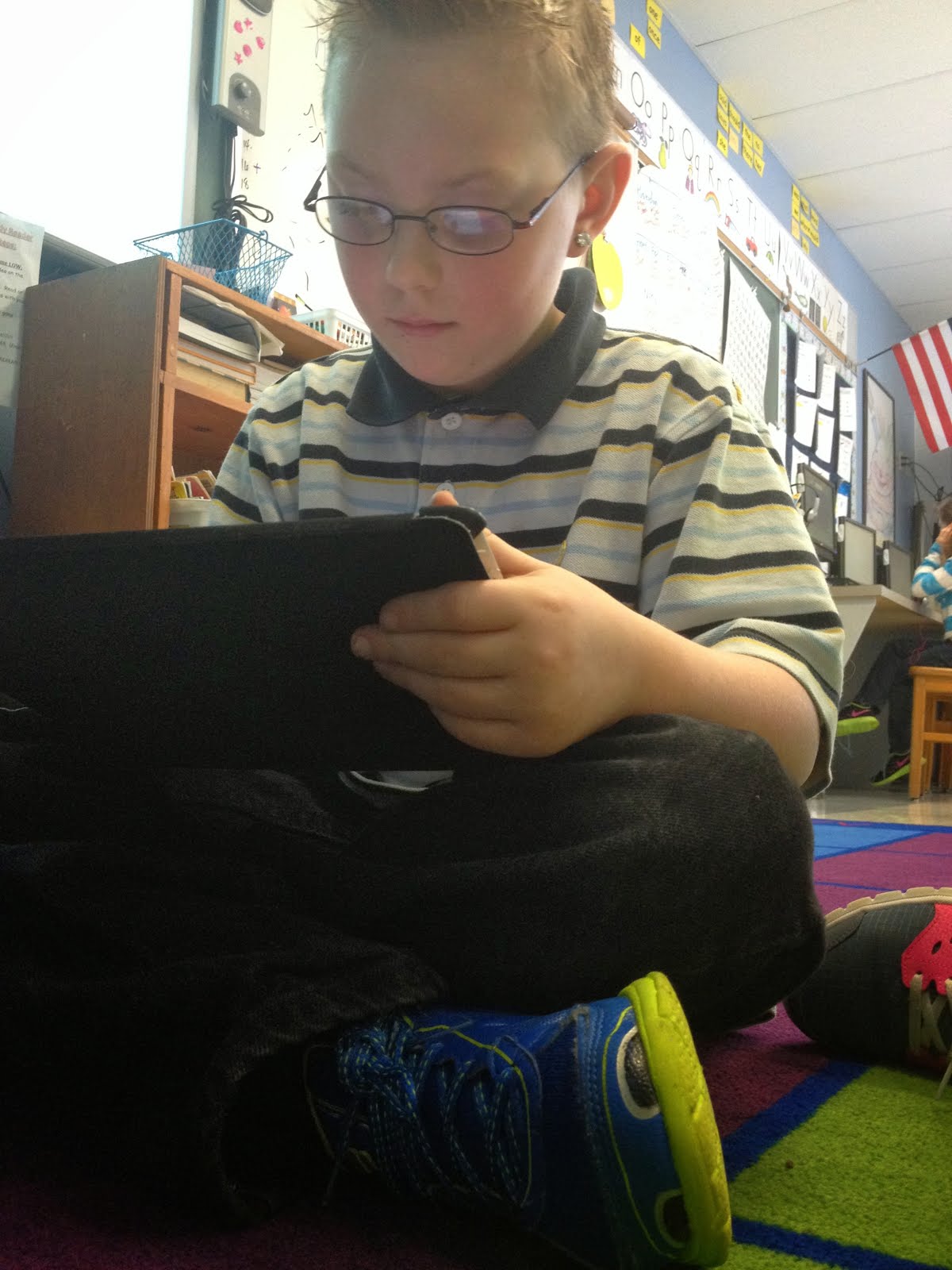
Typically, I enter Jill Rickert’s room around 9:30, which is right after snack time.  I know it is after snack time because the carpet I sit on is often littered with graham cracker crumbs or little pieces of granola bar wrappers.  I go to Mrs. Rickert’s room to teach her second graders the fundamentals of computer programing and math.  Second graders learning how to program computers, can that be true?  Well, yes...it is true.  With the help of iPads and the app, “Hopscotch,” students are learning things, interesting things--and they seem to enjoy it.  Students are learning how to make an avatar draw a square, a rectangle and just yesterday, students had their avatars draw circles.  Student can choose their own little monster or creature as their avatar.  To draw a square, students need to know that squares have 4 equal sides and four equal angles.  The whole concept of a 90 degree angle is really not something they are taught until they are older.  My colleague, Mark Carls, and I have taught students how to draw a square and to draw a diagonal line in the square.  To do this, students had to learn about rotating a certain angle and specifically they had to figure out what half of 90 degrees is.  
IMG_2064.JPG

Students have had some real “aha moments.”  I recall one day a couple weeks ago when a student created a square, which was the task had given the students.  To keep the student learning, thinking and active, I asked her to “make the lines of her square thicker. She made a mistake.  She changed the line thickness by moving over the “change line width” block to the end of her code.  She could not figure out why it would not work.  Eventually, after thinking it through, she realized that when you change your code at the end, nothing happens because nothing is being executed at the end of the code.  She realized that if she moved the “change line width” to the front of her code it worked.  I heard the student, who was asked to get ready to go to gym, get up, walk over to Mrs. Rickert and say, “I figured it out all by myself.”  You could feel the confidence and self-esteem growing inside this child.

According to statistics at code.org, by the year 2020, there will be one million more computing jobs than there will be students to fill them.  We need to teach our students programming.  It will prepare them for jobs that either don’t exist yet or have already been created  but are just unknown.  For many people just the words computer programming send a chill of fear up and down their spine.  If we continue to teach young children computer programming, that “chill of fear” will be a thing of the past.